


|
Name |
Syncler |
|---|---|
|
Category |
Entertainment |
|
Developer |
Syncler Inc. |
| Last version | 3.0 |
|
Updated |
|
|
Compatible with |
Android 5.0+ |
What is Syncler APK?
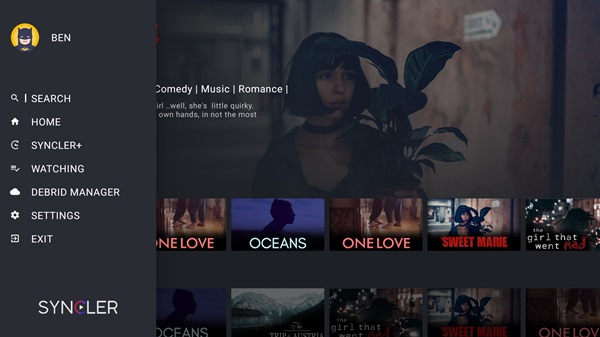
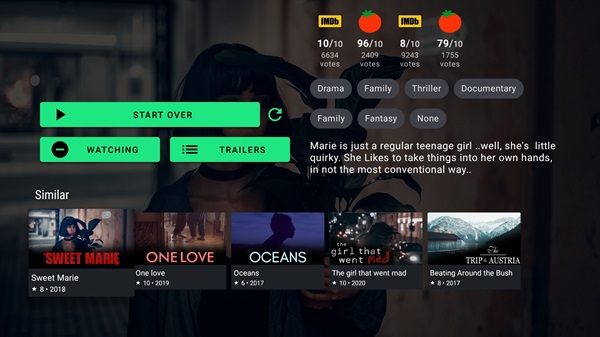
Syncler is a mobile streaming app designed for Android devices, offering a streamlined way to watch movies, shows, and even anime. It’s not a content provider itself, but acts as a smart interface that connects users with streaming sources through add-ons. Instead of relying on traditional subscriptions, it integrates with services like Trakt and Real-Debrid, giving users more control over what they watch and how they access it.
This app is especially useful for Android phone and TV users who want flexibility without being tied to a single provider. It organizes and presents streaming links from third-party providers, and works best when linked with premium cloud services for better quality. Because of its integration-friendly setup, it can function as a centralized media manager across devices.
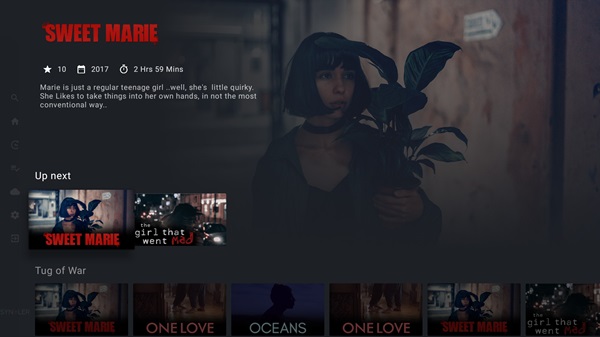
One standout aspect is its compatibility with external video players like VLC, MX Player, and Kodi. You aren’t stuck with a default setup—Syncler lets you choose your viewing tools. Chromecast support is also built-in, making it easy to watch on larger screens without needing extra devices or software. It’s built to be smooth and responsive, especially on Android TV, where users can even pin favorites to the home screen.
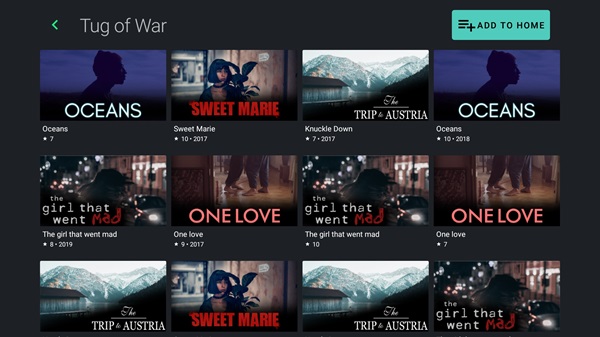
Customization is another strong point. From choosing themes to adjusting how thumbnails look, Syncler allows users to shape the app’s interface to suit their style. The voice search feature, especially on Android TV, makes content searching faster and more accessible. It doesn't feel overwhelming, even though the app handles a large volume of content from various sources.
It’s not perfect, though. Since Syncler depends on external providers and services, setup can be confusing for users unfamiliar with Trakt or Debrid. Some features also rely on premium integrations, so it's not always a plug-and-play solution. And because it's not on the Play Store, downloading the APK requires a bit more caution and technical know-how.
Overall, Syncler is ideal for people who want more control over their streaming setup—especially tech-savvy users who value customization, flexibility, and device-wide syncing. It’s a solid fit for viewers who don’t mind managing their own content sources and want to create a tailored, no-ads streaming setup on Android platforms.
FAQs Syncler
What is Syncler?
+
Syncler is an Android streaming app that lets users access TV shows, movies, and anime by connecting to third-party sources using add-ons and cloud services.
How do I install Syncler on my Android device?
+
You can install Syncler by downloading the APK from its official site or trusted sources, then enabling “Install unknown apps” in your device settings.
Do I need a subscription to use Syncler?
+
No, Syncler is free to use, but it works best with services like Real-Debrid or Premiumize, which may require a separate subscription.
Can Syncler stream content directly?
+
No, Syncler doesn’t host or provide content. It acts as an interface that organizes and presents streaming links from external providers.
Is Syncler safe and legal to use?
+
Syncler itself is safe and legal as an app. However, the legality of streaming depends on the sources you choose and the services you integrate with.
Discover More Interesting Apps
-

iStreamFlare
v23.0.0
51.9 MB
Updated -
Mod
YouCine
v1.16.12
33.6 MB
Updated -
Elahmad TV
v3.1.3
30 MB
Updated -
Mod
Chai
v0.4.392
123.99 Mb
Updated -
Mod
Reface
v6.14.0
130.53 Mb
Updated -
Five Hearts Under One Roof
v1.2.1
227.31 Mb
Updated -
Mod
Silly Wisher for Genshin
v0.76
73.05 Mb
Updated -
Mod
FaceMagic
v2.6.11
96.95 Mb
Updated -
Mod
iQIYI
v8.5.0
74.61 Mb
Updated -
Tamasha
v3.8.3
86.37 Mb
Updated










Share Your Thoughts